
- 30 August 2024
- LiteManager 5.2 Two-factor authentication
-
Two-factor authentication (authorization) on the LM server using an LM code via email, via your personal SMTP server. New console app for Linux (daemon).
- 05 August 2022
- LiteManager update 5
-
NOIP authorization on LM Server. (NOIP as the central authorization server)
Managing LM Server settings on NOIP. (SSC NOIP) - 21 October 2021
- A new website design LiteManager.org
-
Litemanager — remote support software
- 31 May 2015
- LiteManager remote access tools
-
Free remote access over the Internet with IP or ID connection. QuickSupport mode works without installation for Windows. Demonstration and online Presentation.
Remote access software, remote administration, remote desktop.
LiteManager — one of the best programs for remote administration of Windows-based computers. The program allows working simultaneously on several computers in different remote access modes. A wide range of tools for administration makes LiteManager an optimal solution for managing organizations of any scale.
Download (full version)
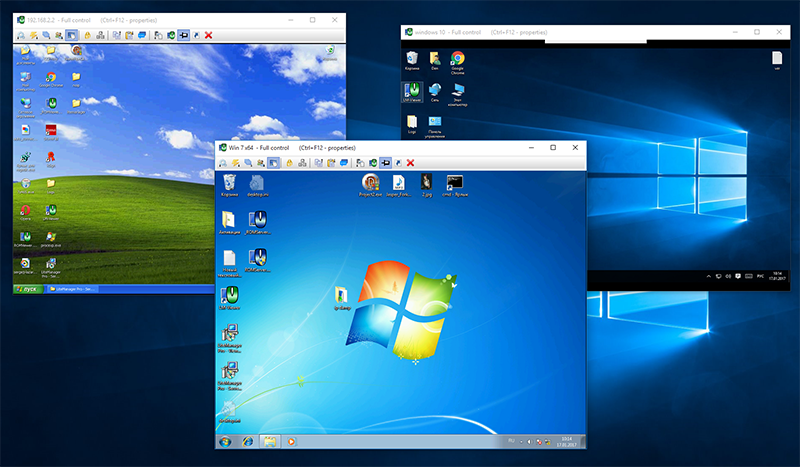
Remote desktop — the primary operating mode of LiteManager that offers a wide range of functions and settings options, for example: you can turn on economy mode and as a result consume 5-10 times less network traffic. You can remotely control a computer in different terminal sessions with the ability to switch between them if needed, as well as to lock a computer, sync the clipboard and much more.
See all screenshots
- General description
- Main features
- Security
- Internet and local networks
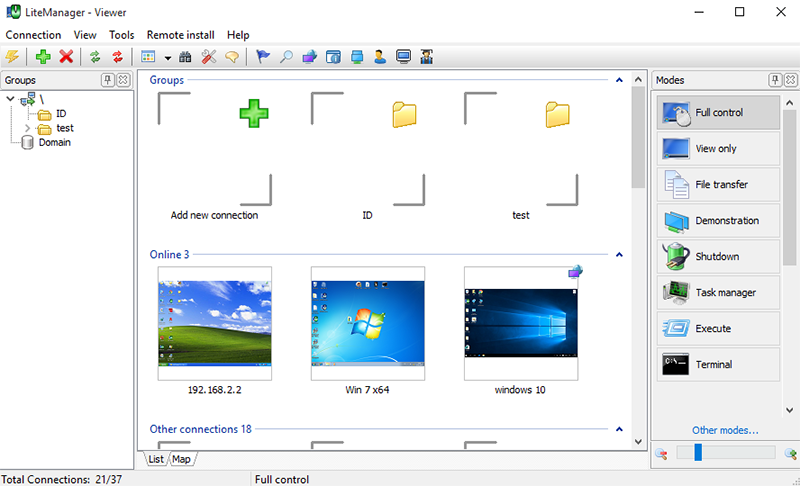
To add new connection to the LiteManager Viewer list, you just need to specify an IP address and, when connecting to it, enter the password which you set during LiteManager Server installation. The program has a very user-friendly interface. You can change location of the panels and easily access key elements of the program.
The list of remote computers can be displayed in different styles: in the form of scalable thumbnails, ordinary icons, a list or a table. Different computers will be represented in different ways depending on their states – remote computer that is switched off will be displayed with «Offline» status, a computer that is switched on – with «Online» status. If a ROM-Server is not installed or run on a remote computer, there will be «Not Found» status. In case the connection is not authorized on the server, the icon will have «Locked» status.
LiteManager allows you to receive reliable information about the current state of a computer and what is happening on the computer at the moment. LiteManager is simple and easy-to-learn, yet it offers powerful functionality for remote administration.
Remote control / Remote viewing.
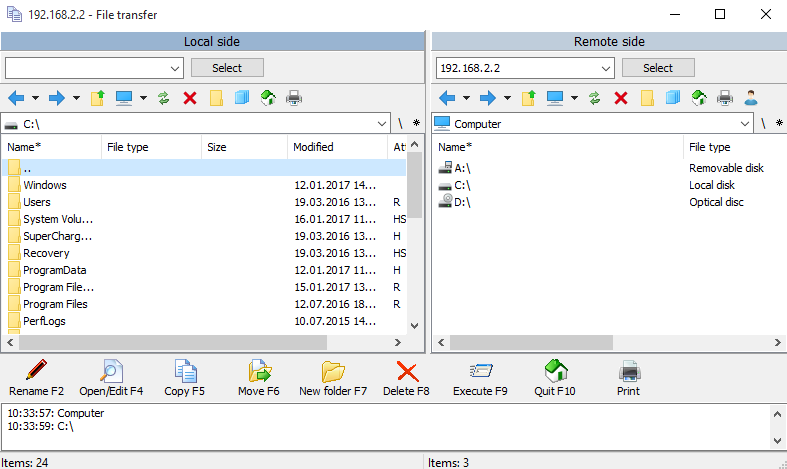
File Transferring.
Remote task manager
Power management.
Text chat.
Telnet.
Device manager.
Screen recorder.
Network map.
Connecting with a dynamic IP.
Remote installation.
Server search.
RDP.
Registry editor.
Internet and Networks utils.
Remote installation.
Callback connection.
Cascade connection.
Network map.
Server search.
Event log.
IP Filter.
NoIpServer.
Other features.
Capture sound.
Drag & Drop.
Windows 7 Aero support.
Support multimonitors systems.
Locking the screen and keyboard.
Protection options with a password.
Support system clipboard.
Description and screenshots
Built-in IP address filter allows you to grant or deny access only to the required range of iP addresses. The program provides protection from DDOS attacks and attacks involving multiple attempts to enter a password. For more reliability, we advise you to change the port number that is assigned by default.
Built-in IP filter will allow you to precisely specify the available IP ranges of trusted computers. You can prohibit a certain connection mode for all clients on the server. You can also set a password for changing settings of the LiteManager-Server module.
When you need to connect to a computer without the permanent external IP address or it is closed with NAT (that is, there is no possibility of connecting to the computer from the outside), you can use «Callback connection» function which allows LiteManager-Server to initiate connection with LiteManager-Viewer. This requires LiteManager to have an external (white) IP address. Thanks to these capabilities you can control computers, which previously were inaccessible.
The map is used for arranging connections at your discretion, which is especially useful for large and structured networks. To make it more convenient, you can use the additional window to draw lines between objects, highlight them with colors, add additional objects. All connections remain completely interactive, which means that you can open the necessary mode with a click on the connection you need.
The program includes a remote installation module allowing for fast deployment of LiteManager in the network. There are three ways of installation. Remote installation using Windows security system. To install the product, you have to know the login and password of the remote computer administrator. Remote installation using Active Directory group policy. The remote computer should be located in the domain. Remote auto update of the program. The remote computer should already have LiteManager installed. Also the program includes a built-in utility program for configuring MSI distribution of the program’s server module. You can specify the necessary server settings in advance, and they will be applied during installation.
NoIPServer — is a standalone app which allows connecting LMViewer and LMServer without an IP address bypassing NAT and other network barriers. The connection is made via ID. You can simply install NoIPServer on an accessible computer in the Internet and connect to your servers through it.


