
News
- 30 August 2024
- LiteManager 5.2 Two-factor authentication
-
Two-factor authentication (authorization) on the LM server using an LM code via email, via your personal SMTP server. New console app for Linux (daemon).
- 05 August 2022
- LiteManager update 5
-
NOIP authorization on LM Server. (NOIP as the central authorization server)
Managing LM Server settings on NOIP. (SSC NOIP) - 21 October 2021
- A new website design LiteManager.org
-
Litemanager — remote support software
- 31 May 2015
- LiteManager remote access tools
-
Free remote access over the Internet with IP or ID connection. QuickSupport mode works without installation for Windows. Demonstration and online Presentation.
LiteManager screenshots
For zooming screenshots click on the picture.
Main window
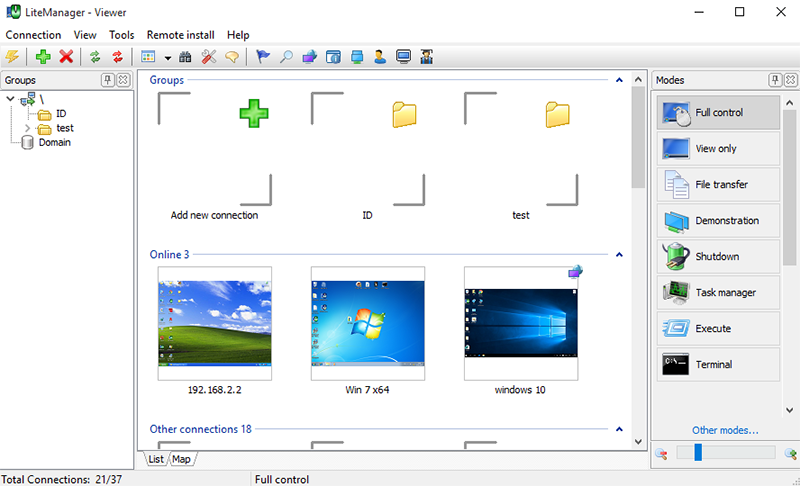
Interface of the program is as user-friendly as possible. You can reposition panels the way you like, while the most important elements are positioned separately and are easily accessible.
Remote desktop
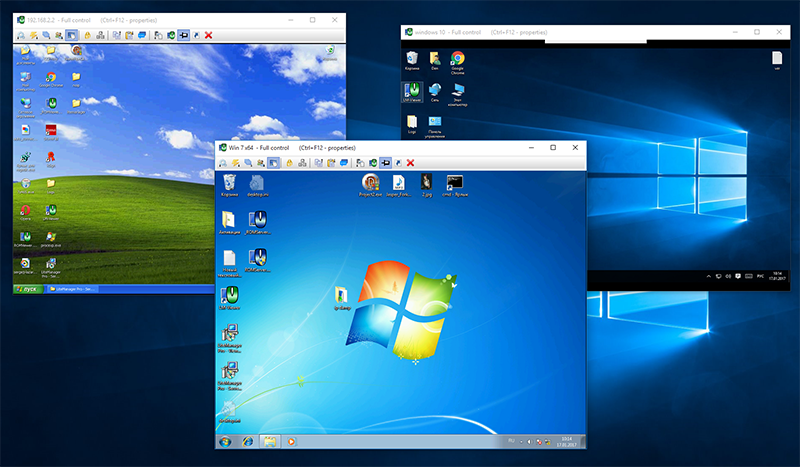
You can use features Drag & Drop, the system clipboard, switch between monitors a remote computer. Supports Windows 7 Aero.
Teacher
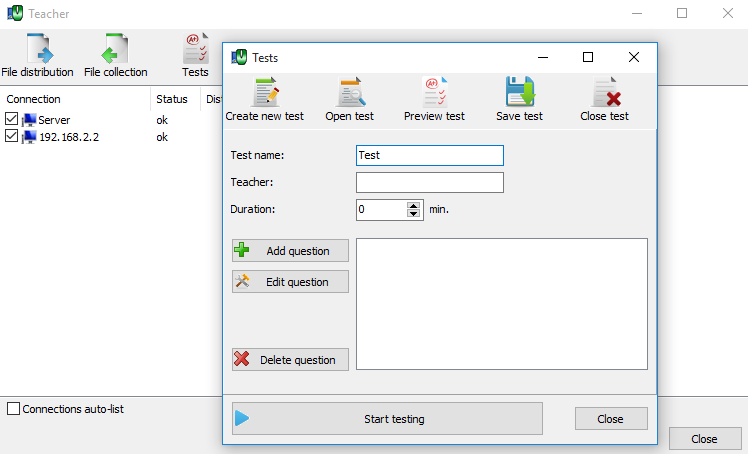
Teacher mode for classroom management, testing the students and file distribution and file collection functions. LiteManager allows the teacher to control and manage the class.
File manager
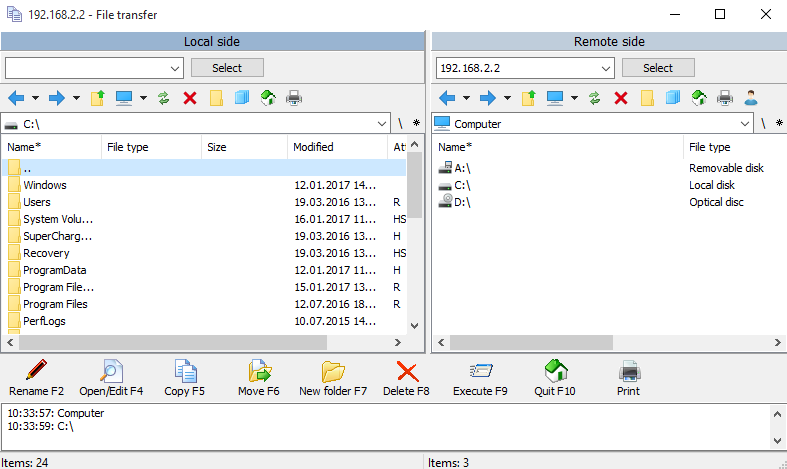
The file manager gives you access to the file system of the remote computer where you can copy, move and delete files.
Remote task manager
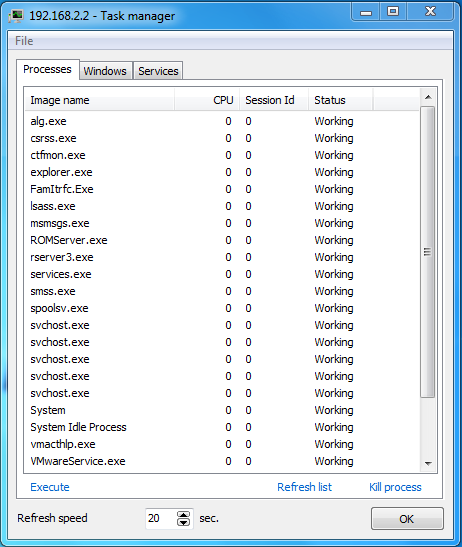
The remote task manager allows you to view the processes, windows and services on the remote computer. If necessary, you can start or stop the process or service you need.
Remote installation
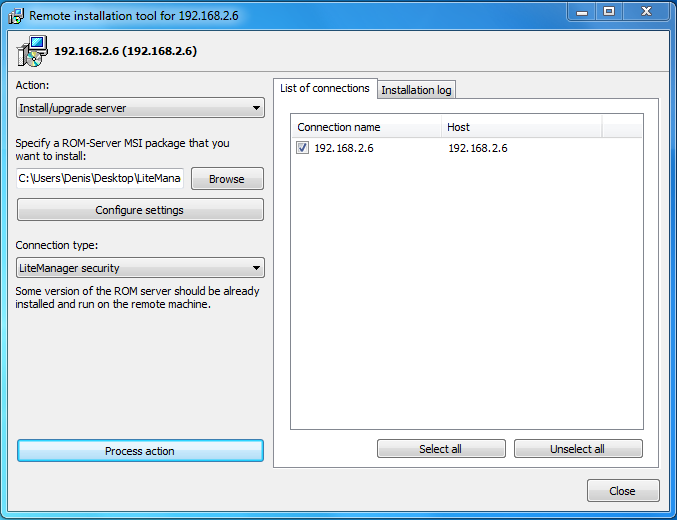
You can use remote installation to install, update, restart or stop the LiteManager Server on a certain computer.
Security
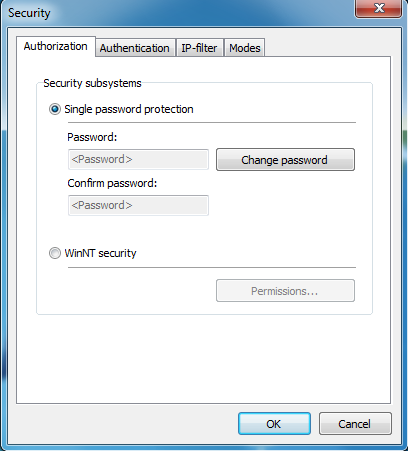
Two security subsystems are available – Windows NT security and LiteManager security. All data sent over the network is compressed and encrypted. You can use the built-in IP filter to allow or forbid access from certain IP addresses. Protection against breaking the password and DDOS attacks is also built in.
Telnet
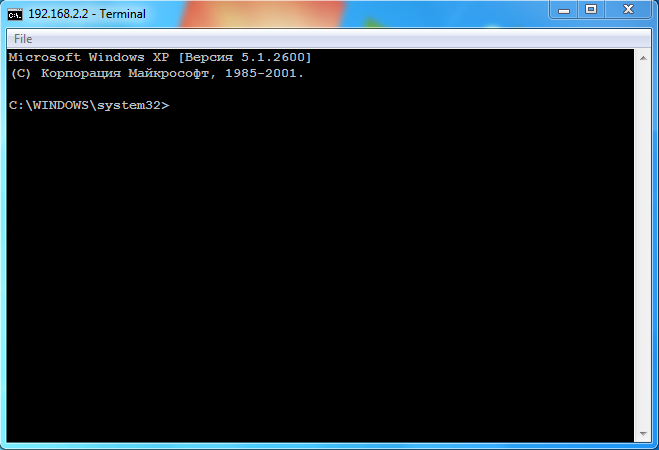
The «Terminal» mode allows you to get complete access to the command line on the remote computer. You can enter commands and run programs in the «Terminal» window exactly the same as in the command line of the «cmd» system tool.
Chat
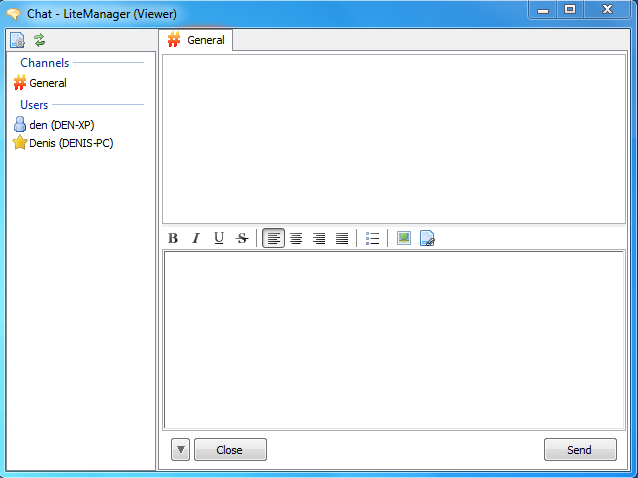
There are two types of clients (users) in the LiteManager text chat: administrators are users who communicate via ROM-Viewer and regular users who communicate via ROM-Server.
Device manager

You can use the device manager to view and collect detailed information about hardware and software on remote computers. It is possible to automatically create reports for the specified computers and export them in the HTML or XML format.
Registry editor

Connecting to the system registry with the ability to edit data.
NoIpServer
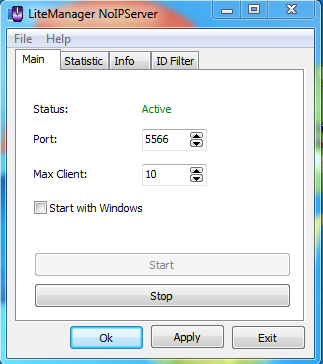
Additional program allows you to connect LMViewer and LMServer without an IP address, using your personal ID.


